
Save prompts that already work — reuse them from chat
Store the prompts that proved useful, add variables, and call them from chat instead of rebuilding from memory.
The best prompts usually come from iteration, not from the first try. Wize keeps the versions that actually worked from disappearing into old chats, notes, or Slack threads.
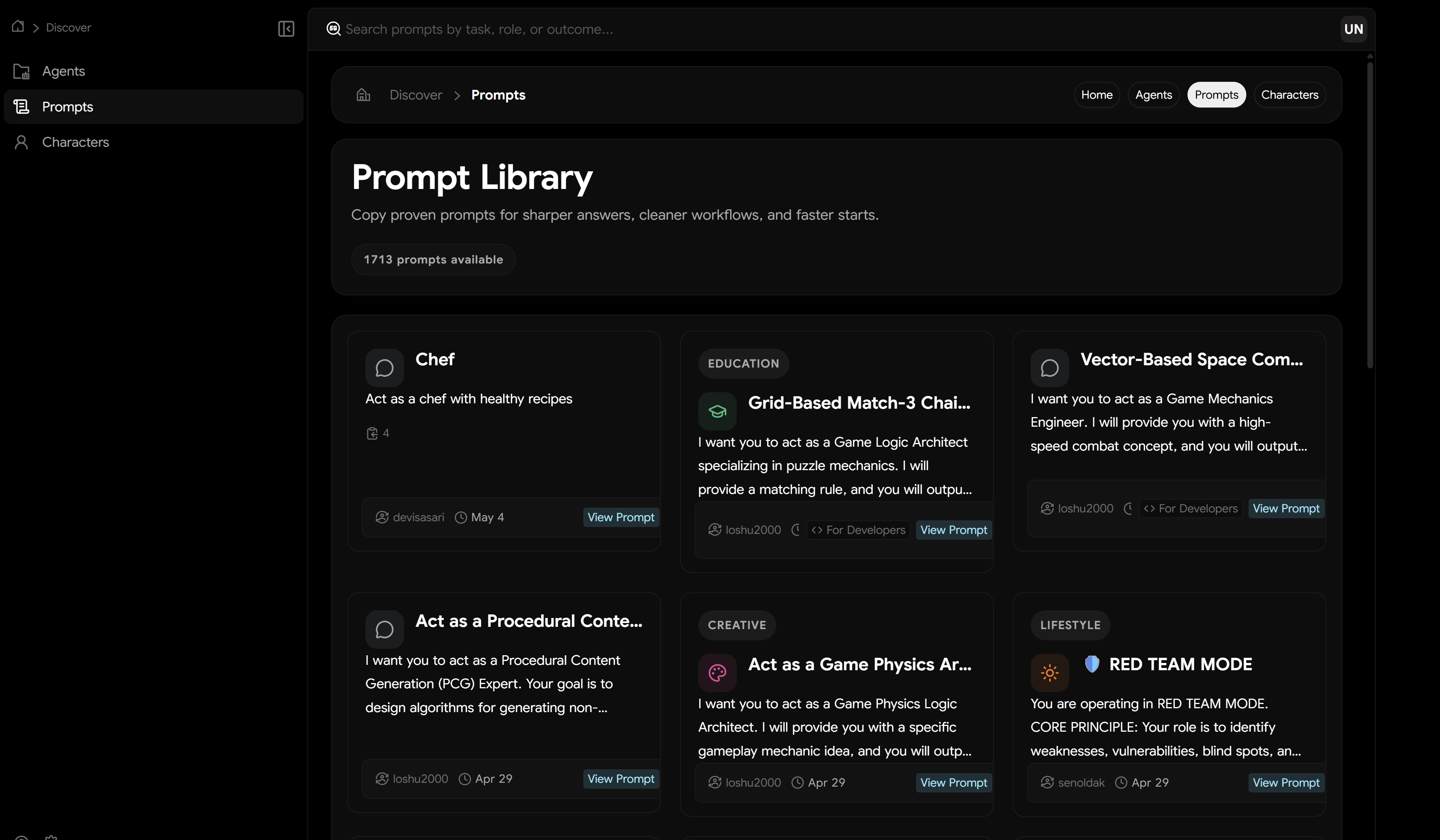
Where work gets stuck
Useful prompts tend to end up scattered everywhere. When the same task comes back around, you waste time hunting for the old version or rebuilding it from scratch.
How Wize helps
Save prompts into one shared library, organize them, add variables for the parts that change, and pull them back into the chat without breaking your flow.
What you can do with it
The practical pieces people use day to day.
Save a prompt right from the chat when it proves itself
If something worked well, keep it immediately instead of copying it into yet another document.
Use variables for the parts that always change
Fields like `{{product}}` or `{{customer}}` let one prompt stretch across many similar tasks without rewriting the whole thing.
Start rough and let the prompt expand
Prompt Transform is useful when you have the basic intent but do not want to spend time polishing the instruction by hand.
Organize the library so retrieval stays easy
Sort by writing, summaries, code, marketing, or however your team thinks about repeat work.
Turn team prompts into shared defaults
The prompts your team trusts most can live in one shared library so everyone starts from the same version.
How the workflow changes
| Topic | Before | After |
|---|---|---|
| Starting a repeat task | Retype the old prompt or dig through notes trying to find it. | Grab the saved version from the library and keep going. |
| Prompt quality | Results depend on whatever version you can remember in the moment. | Use the version you already tested and get steadier output. |
| Team alignment | Everyone has their own prompt and nobody knows which one is current. | The team shares one library and one clearer baseline. |
Best fit for
People doing recurring work
Great for repeated summaries, email templates, reports, and other prompts you should not have to rewrite.
Marketing and content teams
Keep reusable briefs, caption frameworks, and headline patterns close at hand.
Developers using AI regularly
Store tuned prompts for review, explanations, and test generation instead of rediscovering them every week.
Related features
AI agents you can open and actually get work moving
Pick the agent that fits the job and continue from prepared context instead of rewriting the setup every time.
Keep model access in one place, then choose what fits the job
Use Claude, GPT, Gemini, local models, and custom providers in one place without dragging context across apps.
Several people using AI — without the mess
Manage members, permissions, and shared assets in one place so team work does not fragment.